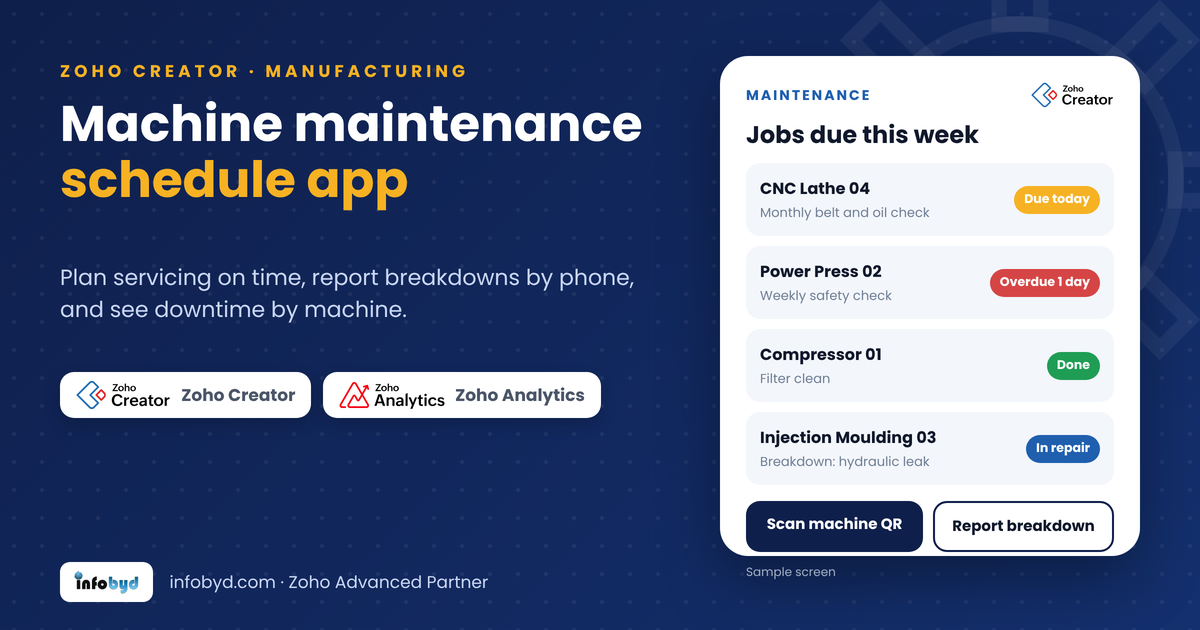
Quick answer: A machine maintenance schedule app keeps a list of every machine, creates service tasks on time, lets operators report breakdowns from their phone, and shows downtime by machine. In Zoho Creator, this is built with forms, schedules, approvals and a dashboard, and it runs on the Creator mobile app, even offline.
In most Indian factories, machine servicing lives in three places: a register near the machine, an Excel sheet with the maintenance head, and WhatsApp messages when something breaks. It works when you have 10 machines. It stops working at 40.
The result is the same everywhere. A service date gets missed. A small problem becomes a breakdown. Production stops, and nobody can say how many hours the machine was down this month, or what it cost.
This guide shows how a simple maintenance app on Zoho Creator fixes this, what to put in it, and how to start without a big project.
Why registers and Excel stop working
- No reminders. A register cannot tell you that the CNC lathe is due for oiling tomorrow. Someone has to remember.
- Breakdowns are reported late. The operator tells the supervisor, the supervisor calls maintenance, and the time of the first call is lost.
- No history in one place. When a machine breaks again, nobody can quickly see what was done last time, which part was changed, or who did it.
- Spares run out at the wrong time. The part you need is not in stock because nobody linked spares to the service plan.
- No numbers for the owner. Downtime hours, repeat breakdowns and maintenance cost per machine are not visible, so decisions are based on guesses.
What a maintenance schedule app does
Think of it as one place for every machine and every job done on it. The app has five parts:
- Machine master: each machine with its code, location (line or shed), make, model, purchase date and a QR code sticker.
- Preventive maintenance (PM) plan: for each machine, the checks to do and how often. For example: daily cleaning, weekly oil level check, monthly belt check, half-yearly motor service.
- Work orders: the app creates a task on the due date, assigns it to a technician, and the technician closes it with a checklist, photos and parts used.
- Breakdown log: an operator scans the machine QR code, picks the problem and adds a photo. The clock for downtime starts there.
- Dashboard: machines due today, overdue jobs, open breakdowns, downtime hours by machine and repeat problems.
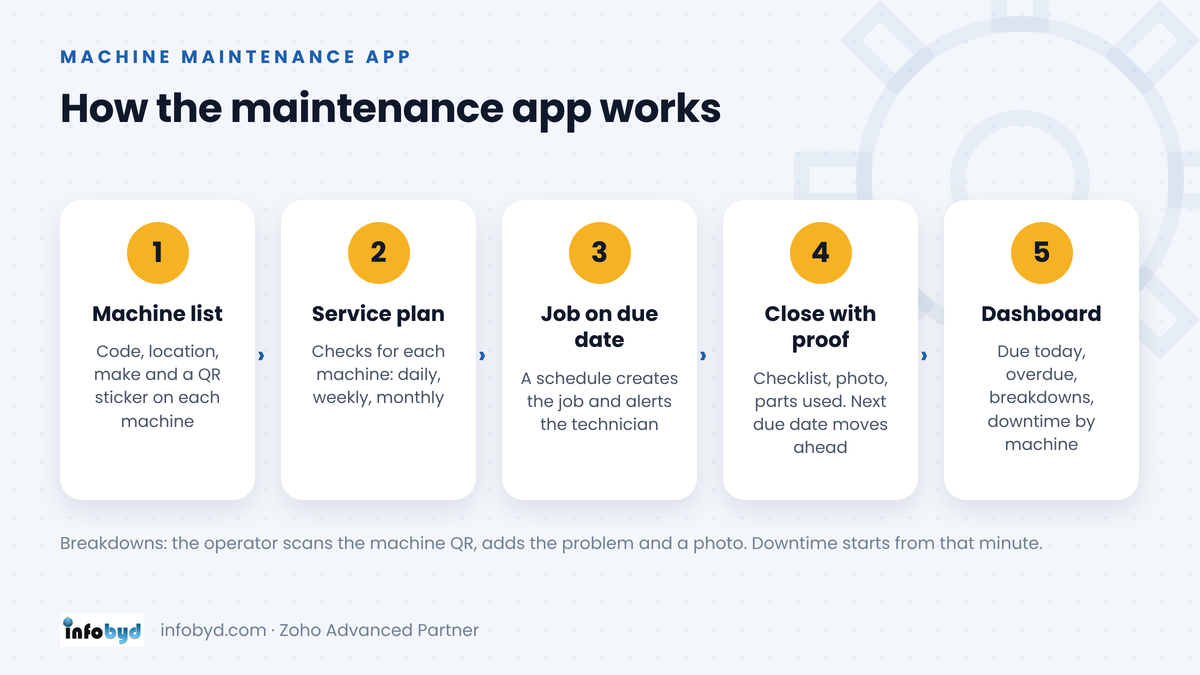
The 5 parts of a maintenance app, from machine list to dashboard.
How it works on Zoho Creator
Zoho Creator is Zoho's low-code platform for custom business apps. It is also part of Zoho One. These Creator features do the work:
| Need | Zoho Creator feature |
|---|---|
| Service tasks created on time | Schedules: a workflow runs on a date and repeats daily, weekly, monthly or yearly, or runs on the "next due date" field of each machine |
| Operator reports a breakdown from the shop floor | Creator mobile app (Android and iPhone) with QR code and barcode scanning in form fields |
| No network in the shed | Offline forms in the Creator mobile app; entries sync when the phone is back online |
| Big jobs need a manager's OK | Approvals, and Blueprint for step-by-step stages (reported, assigned, in repair, testing, closed) |
| Owner wants numbers | Reports and dashboard pages in Creator, or Zoho Analytics for deeper reports |
| Spares stock | Link to Zoho Inventory or a spares form inside the same app |
One rule makes the schedule reliable: when a technician closes a PM job, the app moves the machine's "next due date" forward by the set interval. The schedule then creates the next job by itself. Nobody has to remember.
What to track for every machine
Keep the forms short. Technicians will not fill a 30-field form on the shop floor. Start with these:
- For each PM job: machine, check list (tick boxes), reading if any (temperature, pressure, oil level), photo, parts used, time taken, done by.
- For each breakdown: machine, problem type (electrical, mechanical, hydraulic, other), photo, time reported, time repair started, time machine was back in production, root cause, parts used.
- For each machine, worked out by the app: total downtime hours this month, number of breakdowns, mean time between failures (average running time between two breakdowns), maintenance cost to date.
These few numbers tell you which machine needs a bigger service, a new part, or replacement.
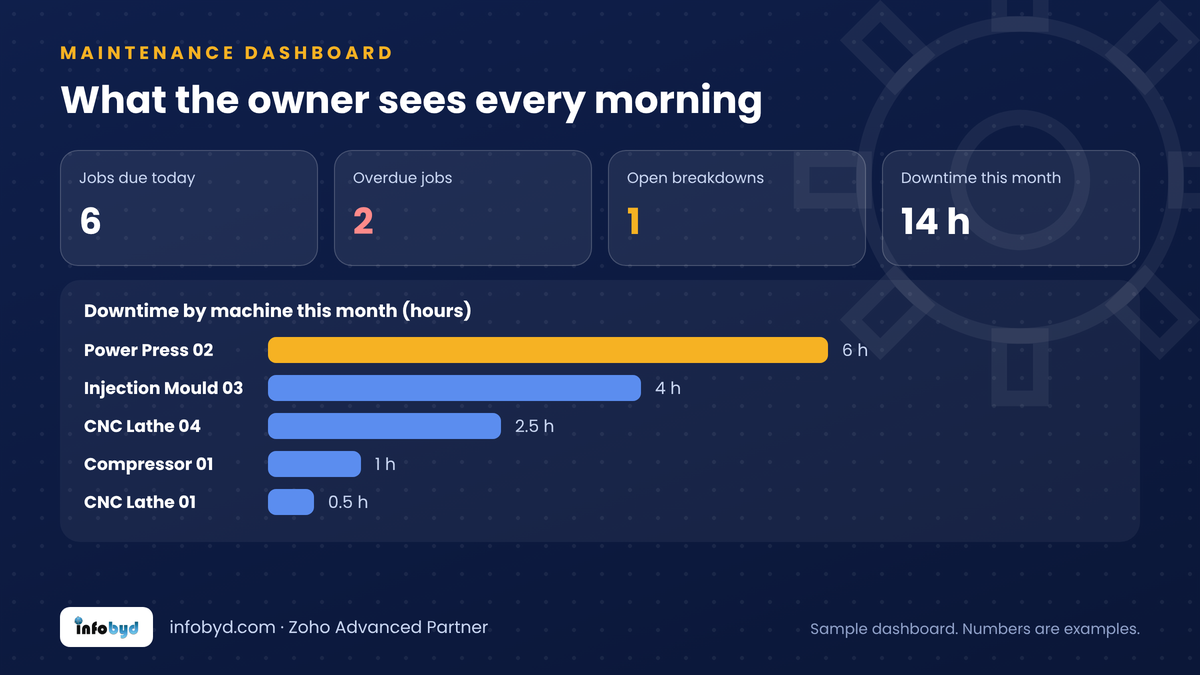
Sample dashboard. The numbers are examples.
Start in 5 steps
- List your machines. Start with the 10 to 20 machines that stop production when they break. Print QR stickers for them.
- Write the PM plan. For each of these machines, list checks and how often. The machine manual and your senior technician are the best source.
- Build the first version. Machine master, PM jobs, breakdown form and one dashboard. With a Zoho partner, a first version like this usually takes a few weeks, not months.
- Train on the phone, not on slides. Operators learn to scan and report a breakdown. Technicians learn to close a job with a photo. Keep training on the shop floor.
- Review after 30 days. Look at overdue jobs and downtime by machine. Then add spares, approvals for big repairs, and links to your production board.
Common mistakes to avoid
- Too many fields on day one. Start small and add fields once people use the app every day.
- No owner. One person, usually the maintenance head, must check overdue jobs every morning.
- Breakdowns still on WhatsApp. If the WhatsApp group stays active, the app will not get real data. Move reporting fully to the app.
- Forgetting offline. Test the forms in the far corner of the plant where the network is weak, before go-live.
How Infobyd helps
Infobyd is a Zoho Advanced Partner based in Indore. We build Zoho Creator apps for manufacturers: production boards, job work tracking, QC and maintenance. We start from your current register or Excel, keep the forms simple for the shop floor, and train your team on the phone they already use.
Frequently asked questions
What is a machine maintenance schedule app?
It is an app that keeps a list of your machines and their service plan, creates maintenance jobs on time, records breakdowns, and shows downtime and cost by machine. It replaces registers, Excel sheets and WhatsApp messages.
Can Zoho Creator send maintenance reminders automatically?
Yes. Zoho Creator schedules can run a workflow on a fixed date or on a date stored in each record, and repeat it daily, weekly, monthly or yearly. The app uses this to create the next service job and notify the technician.
Will the app work in a factory with a weak mobile network?
Yes, for forms that are set up for offline use. The Zoho Creator mobile app can save entries offline and sync them when the phone is back online. Some form actions need a live connection, so offline forms are kept simple.
Can operators report a breakdown by scanning a QR code on the machine?
Yes. Zoho Creator forms can scan QR codes and barcodes from the mobile app. The operator scans the sticker on the machine, the machine name fills in by itself, and they only add the problem and a photo.
Do we need Zoho One for this, or only Zoho Creator?
Zoho Creator alone is enough for a maintenance app. Zoho One includes Creator, so it is a good fit if you also want CRM, GST billing and stock in the same system.
Want a maintenance app for your factory?
Tell us how many machines you run and how you track servicing today. We will show you a working Zoho Creator maintenance app and a simple plan to start.