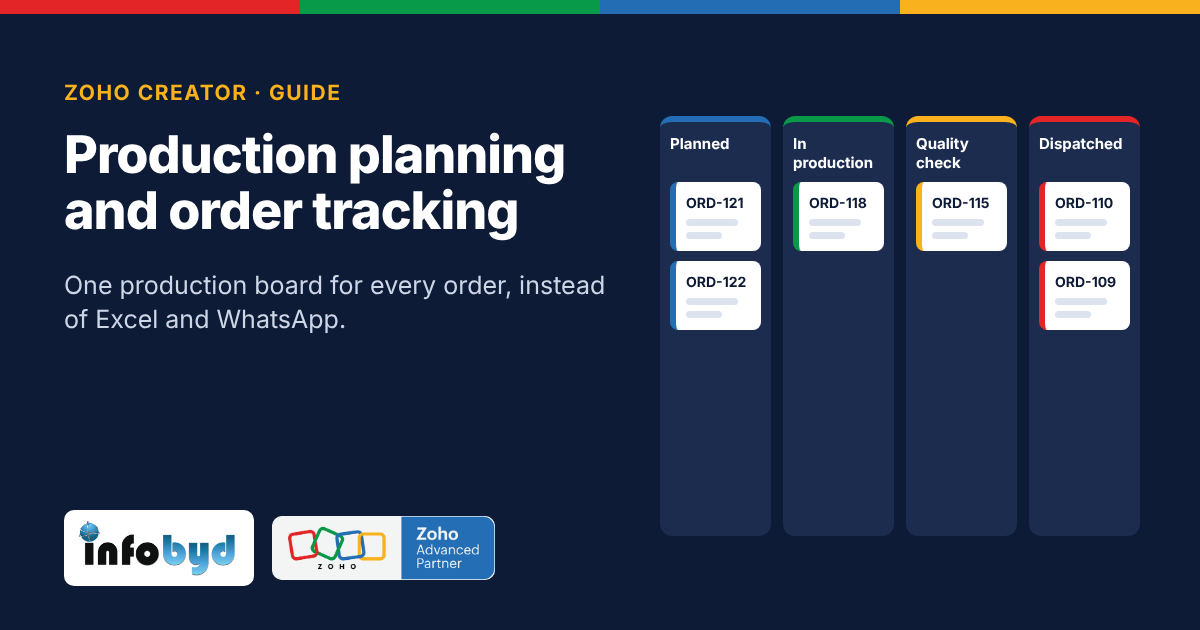
A Zoho Creator production board keeps every order in one app and moves it through fixed stages: order received, material kept aside, job planned, on the shop floor, quality check and dispatched. Each person updates their own stage, so status is live and no one has to call to ask.
If you send work outside to job workers, also read Job work tracking for manufacturers.
Why Excel and WhatsApp stop working as orders grow
Excel and WhatsApp are fine for 10 orders a month. As orders grow, the same problems show up in almost every small factory:
- Many copies of one sheet. The file is shared on chat, so you end up with orders_v7_FINAL_new.xlsx and nobody is sure which copy is right.
- Duplicate rows. Two people add the same order, or one row is copied twice.
- No history. When a date or quantity changes, you cannot see who changed it or when.
- Status lives in people's heads. The customer calls sales, sales calls the supervisor, and the supervisor walks to the machine to check.
- Material surprises. A job starts, then stops because raw material ran out. Nobody checked stock before planning.
- Idle machines. A machine is free, but the supervisor does not know which job should go next.
Each of these costs time every day. Missed dispatch dates also cost repeat orders.
What a production board is
A production board is one screen that shows every open order as a card, placed in a column for its current stage. When work moves forward, the card moves to the next column.
In Zoho Creator this is a Kanban report (a board of cards grouped by a status field). Zoho says a Kanban report is built to show a process flow and the status of each record, and it supports search, filters, import and export (Zoho Creator help: Kanban report, checked on 3 Nov 2026).
Behind the board sit simple forms: one for new orders, one for material, one for job planning and one for quality checks. Each team fills only its own form, and the board updates by itself.
Example (sample data): Order ORD-118 from Mehta Industries, 500 units, sits in "In production". The quality team can already see it is coming to them next.
The 6 stages from order to dispatch
Most small manufacturers can start with these 6 stages. You can rename them or add one later.
| Stage | Who updates it | What gets recorded |
|---|---|---|
| 1. Order received | Sales or office | Customer, item, quantity, promised date |
| 2. Material kept aside | Store | Material checked and reserved for this order, or marked short |
| 3. Job planned | Production planner | Machine, shift and planned start date |
| 4. On the shop floor | Supervisor | Progress in % and any stoppage reason |
| 5. Quality check | QC team | Pass, rework or reject, with a note or photo |
| 6. Dispatched | Dispatch team | Dispatch date, vehicle or courier, invoice number |
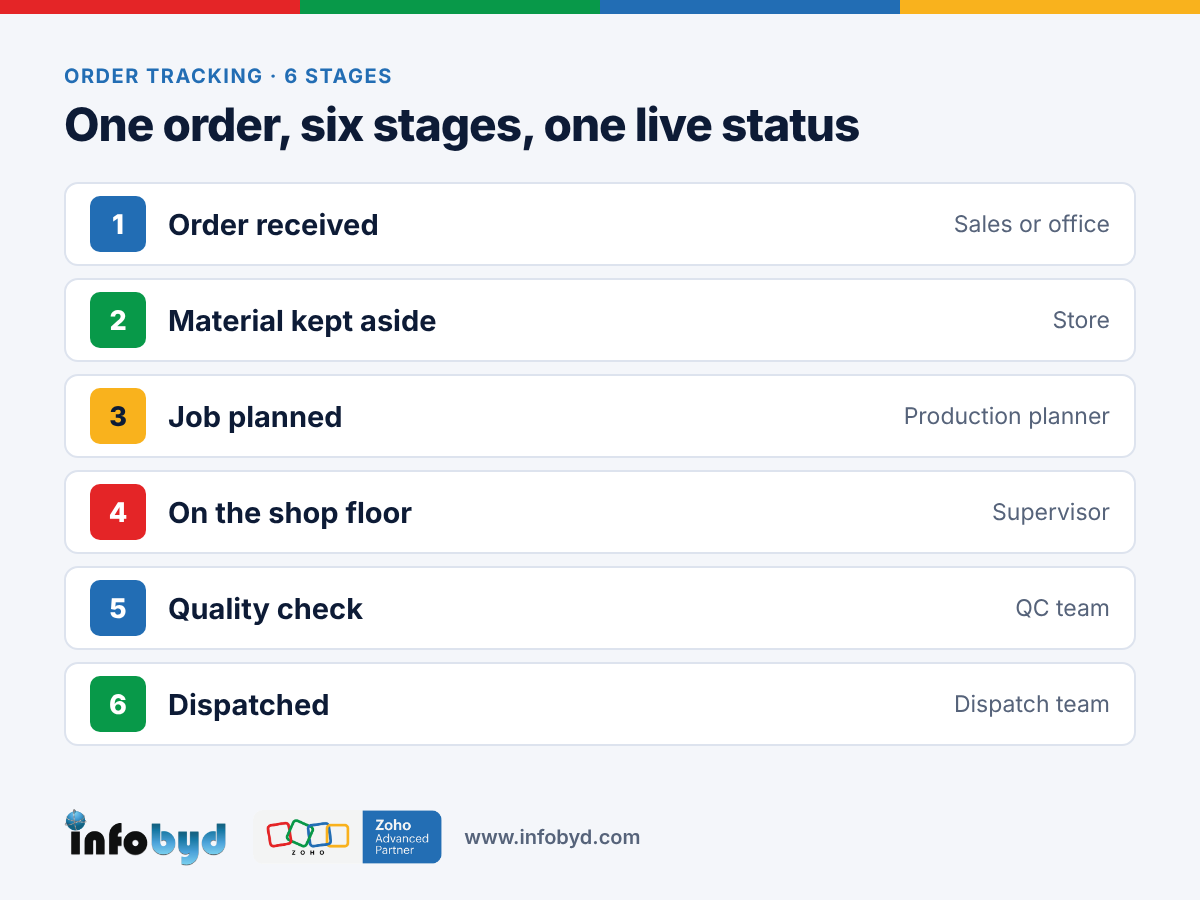
The customer-facing promise comes from stage 1, and the real dates come from stages 3 to 6. When they do not match, the planner sees it early, before the customer calls.
Excel vs a Zoho Creator production board
| Need | Excel shared on chat | Zoho Creator production board |
|---|---|---|
| One true copy | Many versions of the file | One app, one live record per order |
| Duplicate entries | Easy to add the same order twice | Rules on the form can block duplicates (for example, a unique order number) |
| Who changed what | Not visible | Audit trail keeps a history of record changes (see note below) |
| Status for the customer | Call or WhatsApp the supervisor | Status is on the board; your team can answer in seconds |
| Use on the shop floor | Hard to edit Excel on a phone | Android and iPhone app; forms can work offline and sync later |
| Material check | Separate sheet, often skipped | Material stage sits before job planning |
| Access control | Anyone with the file sees everything | Each role sees and edits only its own part |
Note on audit trail: Zoho's help pages say the audit trail shows the history of record changes, including who made them. What is included can depend on your Creator plan, so check Zoho's latest help page for your plan (Understanding audit trail, View and manage audit trail, checked on 3 Nov 2026).
Zoho Creator features this board uses
| Feature | What it does for a factory | Zoho source (checked 3 Nov 2026) |
|---|---|---|
| Kanban report | Shows orders as cards in stage columns, with search, filter, import and export | Understand Kanban report |
| Mobile app with offline access | Supervisors update stages on iPhone, Android or tablet; offline entries sync when the phone is back online | Understanding offline access |
| Audit trail | Keeps a history of record changes and who made them | Understanding audit trail |
| Forms and workflows | One simple form per team; rules can send an alert when an order is late or material is short | Zoho Creator |
| Import | Bring your existing Excel order list into the app on day one | Understand Kanban report |
Zoho changes features and plans from time to time. Always check the latest details on Zoho's own pages.
How to start in 5 steps
- Write down your real stages. Walk the floor once and list every step an order goes through. Keep it to 5 to 7 stages.
- Clean your current order list. Remove duplicate rows in your Excel file and give every order a unique number.
- Build one form per team. Sales enters the order, the store marks material, the planner picks the machine, QC records the result, dispatch closes it.
- Turn on the board and alerts. Create the Kanban report on the stage field. Add alerts for late orders and short material.
- Run it next to Excel for 2 weeks. Train each team on its own form. When everyone trusts the board, stop updating the sheet.
Tip: start with one product line or one machine group. Add the rest once the first team is using it every day.
How Infobyd helps
Infobyd is a Zoho Advanced Partner from Indore, founded in 2016. We build production boards in Zoho Creator around how your factory already works:
- We map your stages with your team, on a video call
- We build the forms, the board and the alerts
- We move your current Excel order list into the app
- We train each team on its own screen, in simple steps
- We support you after go-live
See more for your industry on our manufacturing page.
Frequently asked questions
Can Zoho Creator replace Excel for production planning?
Yes, for most small and mid-size factories. Zoho Creator keeps each order as one record that moves through stages on a board, so there is one live copy instead of many Excel files.
What is a production board in Zoho Creator?
It is a Kanban report: a screen of order cards grouped in columns by stage, such as planned, in production, quality check and dispatched. Cards move as each team updates its stage.
Can my supervisors update orders from the shop floor?
Yes. Zoho Creator has apps for Android, iPhone and tablets. Forms and reports can be set up to work offline and sync when the phone is back online.
Can I see who changed an order?
Zoho Creator has an audit trail that keeps a history of record changes and who made them. Check Zoho's help page for what your plan includes.
Can I bring my current Excel order list into Zoho Creator?
Yes. You can import your existing records into the app, so you do not start from zero.
How long does it take to set up?
It depends on your number of stages, teams and reports. Book a free consultation and we will share a clear plan and timeline for your factory.