Zoho app · setup by a Zoho Advanced Partner

Zoho Creator Developer in India – Custom Apps Built Around Your Business

Your business does not fit into ready-made software. We build the app that does.

Infobyd is a Zoho Creator developer and Zoho Advanced Partner in India, founded in 2016, with 1240+ clients served. Our team holds the Zoho Creator certification. We plan, build and support custom Zoho Creator apps — including ERP-style systems for manufacturing, fleet and trading businesses — from our offices in Indore and Patna, for clients across India and abroad.

  • 4.3 on Google (74 reviews)
  • 4.8 on Zoho Partner Directory
Free plan

Free plan for 1 app

  • 5,000 records
  • 250 MB storage
15-day free trial of paid plans

As listed on Zoho's pricing page. Zoho may change plans and limits.
Start free Sign up through Infobyd, your Zoho partner, and get free setup advice.
Why Infobyd

Why choose Infobyd as your Zoho Creator partner

Zoho Advanced Partner badge
Zoho Creator certified badge
  • Zoho Advanced Partner and Zoho Creator certified.
  • 1240+ clients served since 2016, in India and abroad.
  • Since 2012 our CEO has worked with Zoho since 2012.
  • 4.3 Google rating from 74 reviews in Indore.
  • Indore and Patna offices, with online support across India and abroad.
  • 24x7 support for clients after go-live.
Sound familiar?

Is your business stuck with Excel, WhatsApp and paper?

Most growing businesses reach a point where normal software stops fitting. The signs are easy to spot:

A custom app fixes this. But fully coded software is slow to build and costly to change. Zoho Creator sits in the middle. That is why we use it for low-code app development in India.

What we hear from teams
  • Data lives in many Excel sheets. Nobody knows which one is the latest.
  • Work moves on WhatsApp. Orders, approvals and photos get lost in chats.
  • Ready-made software fits only half your process. Your team does the other half by hand.
  • Owners wait for reports. You call three people to know today's stock, dispatch or pending payments.
Quick answer

What is Zoho Creator?

Set up by a Zoho Advanced Partner

Zoho Creator is Zoho's low-code platform (a tool to build business apps with much less coding).

  • You get forms, reports, workflows and dashboards on a ready, secure cloud.
  • Businesses of every size use it to build their own apps.
  • Every app works on web, and on iOS and Android phones without extra work.
  • Zoho also added AI help in Creator, so parts of an app can be built from plain-English prompts.
  • For you, this means three things: faster build, easier changes later, and one system that grows with your business.
What the software does

Key features of Zoho Creator

These are the main things the Zoho Creator software does. Next, we show what we set up for you.

Custom fields added to a form
App building

Build apps with little code

Drag-and-drop builders and ready blocks help you make forms, reports and pages. You can also start from an AI prompt, and write code only where it is needed.

Data moved from Excel to the cloud
Data import

Bring in your old data

Move data from Excel sheets and older systems into one database. AI helps clean and arrange the data while it comes in.

Workflow or journey with branches
Automation

Let the app do routine work

Workflows, approvals, schedules and Blueprint send work to the next person. Deluge, Zoho's own scripting language, handles custom logic.

Reports and dashboard charts
Reports and dashboards

See live numbers

Dashboards join data from different parts of your app. Alerts tell you when a number needs attention.

Apps connected to each other
Integrations

Connect your other software

Ready connectors link Creator with other Zoho apps and outside software. APIs and payment integrations cover the rest.

Shield for security and access control
Access and control

Keep data safe

Roles decide who can see and edit what. Single sign-on, audit trails and automatic backups help you manage users and data.

See the full feature list on Zoho's official Creator features page.

Built-in AI

AI in Zoho Creator (Zia)

Zoho Creator has AI built in. It helps us build your app faster, and it helps your team use the app.

Some AI features may depend on your Creator plan. We check what your plan includes before we set them up.

  • Build with AI AI agents help plan the app, add modules and update workflows. Each change is reviewed before it goes live.
  • Test with AI AI creates and runs test cases, so problems are found early.
  • Ask in plain words Ask questions about your app data in plain English and get charts.
  • AI inside your app Read text from documents, pick out keywords, judge the tone of a message and spot objects in photos.
  • Chat with the app Users can do tasks and ask questions by chatting with the app.
What we set up

What does a Zoho Creator developer build for you?

Our Zoho Creator custom app development starts from your process, not the other way round. Common apps we build:

Reports and dashboard charts
Feature 1 of 5

ERP-style apps for manufacturing

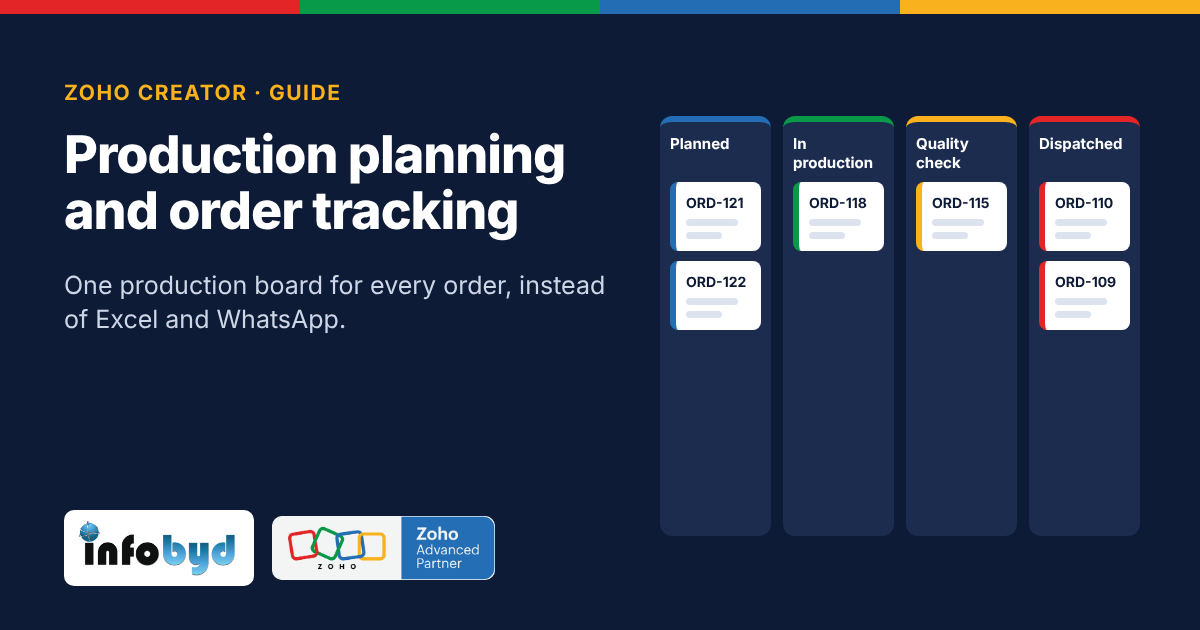
Raw material, production planning, job cards, quality checks, finished goods and dispatch — linked in one flow. Your plant, store and office see the same numbers.

Reports and dashboard charts
Feature 2 of 5

Fleet and transport apps

Vehicle master, trips, driver records, fuel, maintenance, documents with expiry alerts, and trip-wise profit. See our fleet management on Zoho page.

Stock boxes and stock list
Feature 3 of 5

Trading and distribution apps

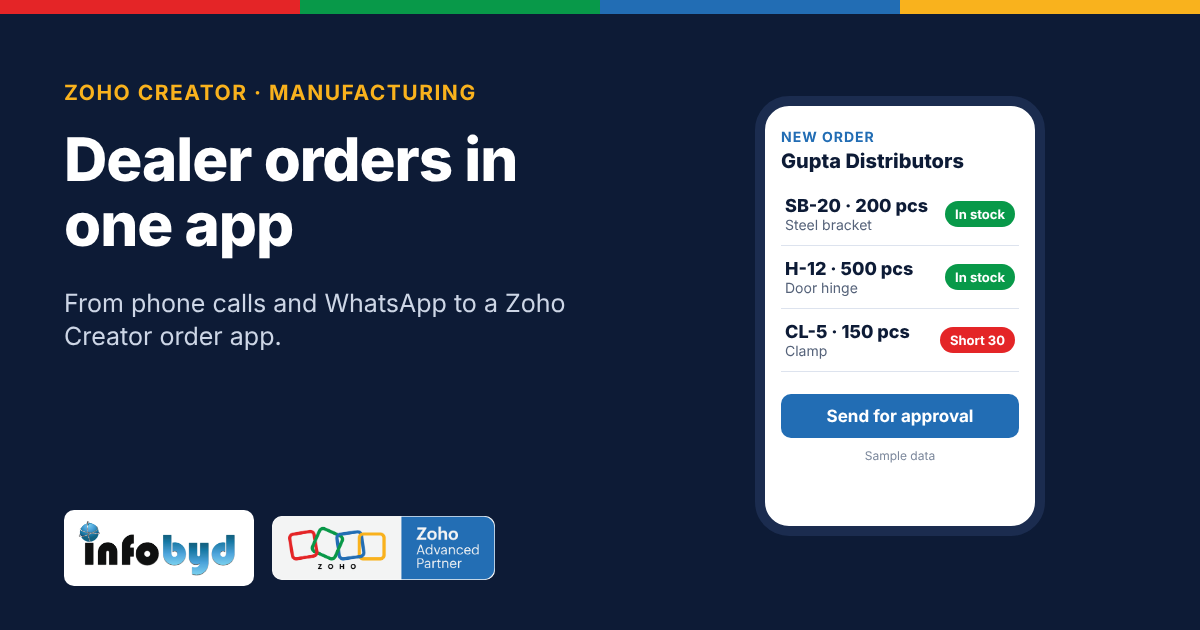
Orders from dealers, rate lists, schemes, stock by location, dispatch and collection follow-up.

Quote document with approval Approved
Feature 4 of 5

Approval and field apps

Purchase approvals, expense claims, site visit reports with photos and GPS, and service job tracking.

Custom fields added to a form
Feature 5 of 5

Customer and vendor portals

Let customers track orders or raise requests, and let vendors upload bills — each person sees only their own data.

Industries

Which industries use our Zoho Creator apps?

We build Creator apps for manufacturing, fleet and logistics, and trading and distribution businesses, and for other industries on request.

Manufacturing production and dispatch tracking in one app. Read Zoho for manufacturing. 01
Fleet & logistics trips, drivers and vehicle costs in one place. Read fleet management on Zoho. 02
Trading & distribution dealer orders and stock by location. Read Zoho for distributors. 03
What we set up

What we set up inside your Creator app

Each app is built with the parts your team needs every day:

Zoho Creator · Form builder Sample data
Add field Text Number Dropdown Image
Dispatch entry Order no. Customer Vehicle no. Dispatch type Quantity
  1. 1 Drag a field onto the form
  2. 2 Add a rule to stop errors
  3. 3 Staff fill clean data
Feature 1 of 8

Forms

For clean data entry, with rules so wrong entries are stopped

Zoho Creator · Purchase approval Sample data
Request Manager Accounts Ordered
Zoho Creator · Purchase approval Quotation attached Within budget ₹50,000 Manager approval
Waiting for manager — reminder sent
  1. 1 Staff raise a purchase request
  2. 2 Manager gets it automatically
  3. 3 Approved request moves ahead
Feature 2 of 8

Workflows and approvals

So the next person gets the task automatically

Zoho Creator · Job card Blueprint Sample data
Raw material Production Quality check Dispatch
Zoho Creator · Job card Blueprint Batch number entered QC photos uploaded QC sign-off
Dispatch locked until QC sign-off
  1. 1 Each stage has fixed steps
  2. 2 Next stage opens when done
  3. 3 No stage gets skipped
Feature 3 of 8

Blueprint

(a step-by-step process flow) so no stage is skipped

Zoho Creator · Owner dashboard Sample data
Orders today 42 Pending dispatch 9 Payment due ₹3.6L
Dispatch by plant (this week)
Plant 1 120
Plant 2 86
Store 64
Job work 31
Returns 8
  1. 1 App data updates live
  2. 2 Owner opens one dashboard
  3. 3 No need to call anyone
Feature 4 of 8

Reports and dashboards

For owners and managers

Zoho Creator · Roles Sample data
Role Orders Rates Reports
Owner Edit Edit All
Sales staff Add View Own
Store View Hidden Stock only
Dealer (portal) Own orders Hidden None
Store staff cannot see rates
  1. 1 Each user gets a role
  2. 2 Role decides what they see
  3. 3 Data stays with the right people
Feature 5 of 8

Roles and permissions

So each user sees only what they should

Zoho Creator · Field app Sample data
Site visit report
Saved · synced to office Sample Traders, Indore Photo: 2 attached Next visit: Friday
  • Works on Android and iPhone
  • Same forms as the web app
  • Photos added from the phone
  1. 1 Staff open the same app
  2. 2 Fill the form at site
  3. 3 Office sees it instantly
Feature 6 of 8

Mobile app

For field and shop-floor staff

Zoho Creator · Custom logic Sample data
New order ₹1,20,000 Metro Works · dealer
Deluge script If outstanding > credit limit then hold the order → Send to accounts
SL Sales AC Accounts DS Dispatch
  1. 1 Order is saved
  2. 2 Deluge script checks credit
  3. 3 Order is held or passed
Feature 7 of 8

Deluge scripts

(Zoho's own coding language) for custom logic where low-code is not enough

Zoho Creator · Connected data Sample data
Website form Zoho CRM Zoho Books Other software (API)
ST
Sample Traders Customer record in Creator
Synced
Lead from
Zoho CRM
Open orders
3
Last invoice
₹48,500
Payment
Due in 5 days
City
Indore
  1. 1 Data comes from other apps
  2. 2 Creator joins it in one record
  3. 3 No double typing
Feature 8 of 8

Integrations

With the tools you already use

Works with your tools

What can Zoho Creator connect with?

Zoho Creator connects well with other Zoho apps and many outside tools. Common links we set up:

Data comes in from

  • Website forms Enquiries land straight in the app
  • Zoho CRM Leads and customers flow into your app
Zoho Creator Your own business app

Data goes out to

  • Zoho Books Invoices and payments stay in sync
  • WhatsApp and SMS alerts Through a supported provider (we connect the provider you choose)
  • Other software Through APIs (a standard way for two software to talk). See Zoho customization and integration.
Anywhere, safely

Zoho Creator mobile app and security

Mobile app

  • Phone apps without extra work Every Creator app also works as an Android and iPhone app.
  • Publish under your brand Publish the app on Google Play or the App Store with your own name and logo.
  • Share only what is needed Publish the full app, or only some parts, like a field staff form.
  • Company phones Roll out the app through your mobile device management (MDM) tool.

Security and privacy

  • Certified security Zoho holds internationally recognised security certifications, like ISO/IEC 27001.
  • Audited controls A SOC 2 audit, and GDPR compliance.
  • Your data stays yours You control who sees what with roles and permissions in Zoho Creator.
  • India data centres Your data can stay in India.
Your road to Zoho

How we build your app — step by step

How long does it take? Time depends on scope — we share a clear plan after the free consultation.

  1. Free consultation. We understand your business and the problem to solve.

    1
  2. Process study and plan. We map your current flow and write a clear scope. You approve it before we build.

    2
  3. Build in stages. We build the app module by module and show you each part.

    3
  4. Testing and data upload. Your team tests with real cases. We move your old Excel data in.

    4
  5. Training and go-live. We train each user group and stay with you in the first weeks.

    5
  6. Support. We fix issues and add new features as you grow.

    6
Pricing

What does Zoho Creator cost?

There are two parts to the cost:

Paid to Zoho

Zoho Creator licence

Paid to Zoho. The price depends on the plan and number of users. See Zoho Creator official pricing. We can also help you buy the licence through us.

Paid to Infobyd

Our development service

Depends on the size of your app.

We send a written quote after the free consultation.

The free trial opens on Zoho's website. When you sign up with this link, your Zoho account is linked to Infobyd as your Zoho partner.

Worldwide

Zoho Creator for businesses worldwide

Zoho Creator works much the same in every country, but tax, currency and local rules change. We set it up online for businesses outside India too, from our offices in Indore and Patna.

Countries we serve

How Zoho Creator works in your country

  • Your local rules

    Apps built around your country's documents, tax labels, units and approval steps.

  • Your currency

    We bill our services in your currency, such as INR, USD, AED, CAD, ZAR or NZD.

  • Your data centre

    We set up your Zoho account on the Zoho data centre for your region (India, US, Europe, Canada, Australia, UAE and more).

  • Your time zone

    Calls, testing and training are planned in your working hours, with one fixed weekly review call.

Our work, in our clients' words

Real case studies, client reviews and guides linked to this page.

Case studies

All case studies
“

What our clients say

Copied as written on infobyd.com. See all clients

They respond well to the queries and work in a time bound manner.
SI Sujan Industries
They excelled in providing customized solutions, making the entire process seamless and efficient.
TL The Lending Tree
Infobyd is a valuable partner and they work hard to optimize our use of all Zoho applications.
NE National Event Management Zoho Creator and Zoho CRM
Best Partner in our Region.
MA Maheshwari Automobile

From our blog

All posts
FAQ

Frequently asked questions

What is Zoho Creator used for?

Zoho Creator is used to build custom business apps — like order tracking, production, fleet, approvals and portals. It suits businesses whose process does not fit ready-made software.

Can Zoho Creator work as an ERP?

Yes, for many small and mid-size businesses. We build ERP-style apps on Creator that cover purchase, production, stock, dispatch and reports. For standard accounting, we usually link it with Zoho Books.

Is Zoho Creator better than custom-coded software?

For most business apps, Creator is faster to build and easier to change later, and Zoho takes care of hosting and security. Fully custom code may suit very special needs. We tell you honestly which fits after the consultation.

Do I need to know coding to use a Creator app?

No. Your team only uses the app — forms, buttons and reports. We handle the building and the code.

Will the app work on mobile phones?

Yes. Creator apps work on Android and iPhone through the Zoho Creator mobile app, and in the browser.

Can you improve an app someone else built?

Yes. As a Zoho Creator consultant, we can review your existing Creator app, fix issues and add new features.

Can I hire a Zoho Creator developer for ongoing work?

Yes. You can hire Zoho Creator developer time from us through a support plan or staff augmentation (a developer who works with your team). We agree the scope and hours first.

Is Zoho Creator data stored in India?

Zoho runs data centres in India. Accounts on Zoho's India data centre keep their data in India. We check your account's data centre during setup.

Can a Zoho Creator app use AI?

Yes. Zoho Creator has AI built in. An app can read text from documents, pick out keywords and answer questions about your data in plain English. Some AI features may depend on your plan, so we check this first.

Do you set up Zoho Creator for businesses outside India?

Yes. We set up Zoho Creator online for businesses in the UAE (including Dubai), Canada, South Africa, New Zealand and other countries. Creator apps are built around your country's documents, units and approval steps. Calls and training are planned in your working hours.

Free consultation

Let's build your app

Tell us about your process. We'll show you how a Creator app can run it.

  • Free first call with a Zoho consultant
  • Clear plan and quote – no hidden surprises
  • Zoho Advanced Partner · 1240+ clients served

Get your Zoho Creator plan

Takes a minute. Fields with * are required.

Please enter your last name.
Please enter a valid mobile number.
Please enter a valid email address.
Please select your country.

We use your details only to reply to you.