Zoho app · setup by a Zoho Advanced Partner

Zoho CRM Implementation Partner in India

Leads in Excel, missed follow-ups and no clear sales report? We set up Zoho CRM so every lead is tracked and every salesperson knows the next step.

Infobyd Software Solutions is a Zoho Advanced Partner and a certified Zoho CRM implementation partner in India. Since 2016, we have served 1240+ clients across India and abroad from Indore and Patna. We set up, customise, connect and support Zoho CRM so your team captures every lead, follows up on time and closes more deals.

  • 4.3 on Google (74 reviews)
  • 4.8 on Zoho Partner Directory
Free plan

Free forever for up to 3 users

  • Leads, contacts and deals
  • 5 workflow rules
  • 150 emails a day

As listed on Zoho's pricing page. Zoho may change plans and limits.

Start free Sign up through Infobyd, your Zoho partner, and get free setup advice.
Why Infobyd

Why choose Infobyd as your Zoho CRM partner

Zoho Advanced Partner badge
Zoho CRM certified badge
  • Zoho Advanced Partner and Zoho CRM certified.
  • 1240+ clients served since 2016, in India and abroad.
  • Since 2012 our CEO has worked with Zoho since 2012.
  • 4.3 Google rating from 74 reviews in Indore.
  • Indore and Patna offices, with online support across India and abroad.
  • 24x7 support for clients after go-live.
Sound familiar?

Why sales teams move to Zoho CRM

Most businesses come to us with the same sales problems:

Zoho CRM fixes this by keeping every lead, call, email and deal in one place, with automatic reminders and live reports.

What we hear from teams
  • Leads are scattered. Enquiries come from the website, IndiaMART, calls, WhatsApp and walk-ins. They sit in phones, notebooks and Excel.
  • Follow-ups are missed. Nobody reminds the salesperson. The lead goes cold or buys from a competitor.
  • The owner has no clear view. How many leads came this month? Which source works? Who is closing? Nobody can answer quickly.
  • Staff leave and take data with them. Customer history lives in one person's phone.
Quick answer

What is Zoho CRM?

Set up by a Zoho Advanced Partner

Zoho CRM is cloud software that keeps all your leads, customers, deals, calls and emails in one place.

  • It reminds your team to follow up, does routine work automatically and shows live sales reports.
  • Businesses of all sizes around the world use Zoho CRM.
  • It works in a web browser and on a mobile app.
  • It is also available in Hindi.
What the software does

Key features of Zoho CRM

These are the main things the Zoho CRM software does. Next, we show what we set up for you.

Form sending a lead into the CRM
Lead management

Capture every lead

Leads from web forms, email, chat and other channels come into one list. Zoho CRM can fill missing lead details (lead enrichment) and keep warming up leads with planned follow-ups (lead nurturing).
Deal pipeline with stages
Sales pipeline

See every deal at a glance

Each deal moves through clear stages. Managers see pipeline value, sales forecasts and territories in one view.

Workflow or journey with branches
Process automation

Let the CRM do the follow-up

Workflows send reminders and update records. Cadences plan follow-up steps based on how each lead responds. Blueprint guides your team through each stage of your sales process.

Chat messages and email with the customer
Omnichannel

Talk to customers where they are

Email, phone, WhatsApp and live chat conversations are saved on the customer record, so anyone in the team can see the full history.

Reports and dashboard charts
Reports and dashboards

Know your numbers

Live dashboards and reports show leads by source, deals by stage and team performance. Zoho CRM can also flag unusual changes (anomaly detection).

Custom fields added to a form
Customization

Make it fit your business

Change fields, layouts and modules without code (Canvas, Layouts). Add portals for customers, partners or vendors.

See the full feature list on Zoho's official CRM features page.

Built-in AI

AI in Zoho CRM (Zia)

Zia is the AI assistant built into Zoho CRM. It studies your CRM data and helps your team decide what to do next.

Zia features depend on your Zoho CRM edition. We check which ones your plan includes before we set them up.

  • Zia score Ranks leads and contacts by how likely they are to buy.
  • Best time to contact Suggests when and how to reach each customer.
  • Next best action Recommends the next step for open deals, such as an email or a call.
  • AI forecasting Predicts revenue and flags gaps in your sales targets.
  • Anomaly alerts Tells you when sales numbers move away from the normal trend.
  • Data enrichment Fills missing lead details from the internet and email signatures.
  • Call summaries Turns call recordings into text and short summaries.
  • Ask in plain words Ask Zia to create reports, workflows or modules for you.
Made in India. Made for the world.

Zoho CRM for Indian businesses

Zoho CRM suits Indian sales teams that work in local languages, follow up on WhatsApp and bill with GST.

  • Hindi screens for your sales team

    The full Zoho CRM screen can be shown in Hindi. Tamil, Telugu, Marathi, Gujarati and some other Indian languages are partly supported.

  • WhatsApp chats on the lead record

    Send and receive WhatsApp messages from inside Zoho CRM's paid editions. You need a verified business, a WhatsApp Business account and message templates approved by Meta.

  • From won deal to GST bill

    Link Zoho CRM with Zoho Books, so sales can raise a GST invoice and see if it is paid, without leaving CRM.

Industries

Zoho CRM use cases by industry

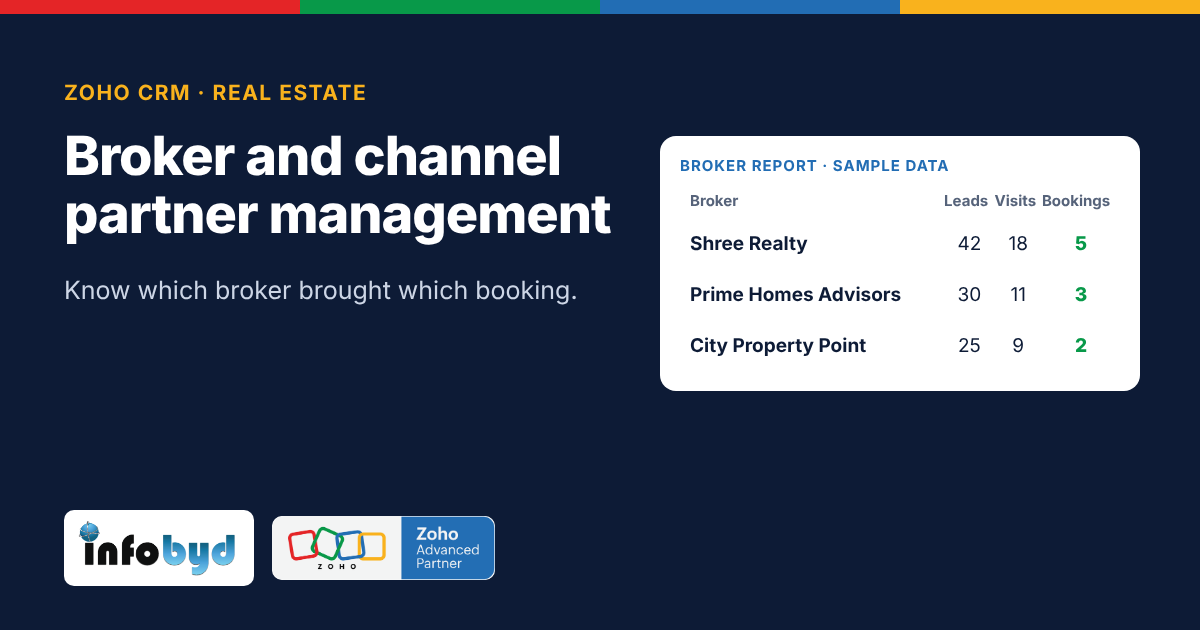
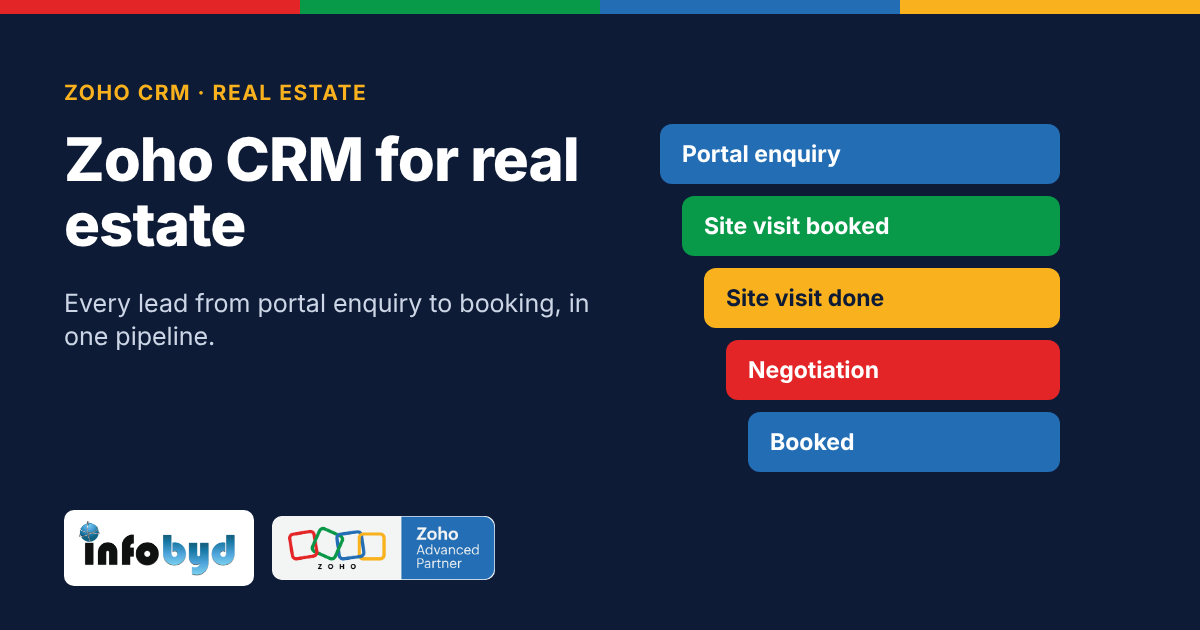
Real estate track site visits, unit interest, booking follow-ups and channel partner leads. See Zoho CRM for real estate. 01
Manufacturing manage enquiries, technical quotes, dealer orders and repeat business. See Zoho for manufacturing. 02
Solar and green energy lead to site survey to proposal to installation follow-up. See Zoho for solar businesses. 03
Education admission enquiries, counselling calls and fee follow-ups (see /industry/education when live). 04
What we set up

What we set up in Zoho CRM

A good CRM follows your sales process, not the other way round. As your Zoho CRM implementation partner, we set up:

Zoho CRM · Leads Sample data
Website form Website chat IndiaMART Walk-in / call
RS
New lead Created 2 min ago
New
Company
Sample Traders
Phone
+91 98XXX XXX10
Lead source
Website form
Page
/zoho-crm
Campaign
google / cpc
  1. 1 Enquiry comes from any source
  2. 2 CRM creates the lead by itself
  3. 3 Source and page are saved for reports
Feature 1 of 11

Lead capture

Website forms, Zoho SalesIQ chat and other lead sources flow straight into CRM with the source recorded.

Zoho CRM · Assignment rules Sample data
New lead City: Indore · Product: Solar
Assignment rule If City = Indore and Product = Solar → Indore solar team, in turn
AM Next PK Assigned SV Busy
  1. 1 A new lead comes in
  2. 2 The rule checks city and product
  3. 3 The right salesperson gets it and a task
Feature 2 of 11

Lead assignment

New leads go to the right salesperson by city, product or turn, automatically.

Zoho CRM · Deals (Kanban view) Sample data
New · 2 Sample Foods ₹1,20,000 Metro Works ₹4,50,000
Contacted · 1 City Clinic ₹90,000
Site visit · 2 Green Homes ₹8,00,000 Star Retail ₹2,10,000
Quote sent · 1 Prime Steel ₹5,75,000
Won · 1 Bright Solar ₹6,90,000
Open pipeline ₹22,45,000 Won this month ₹6,90,000
  1. 1 Every deal sits in a clear stage
  2. 2 Drag the card when the deal moves
  3. 3 The owner sees total value per stage
Feature 3 of 11

Sales pipeline

Clear deal stages like New → Contacted → Site visit/Demo → Quote sent → Won/Lost.

Zoho CRM · Blueprint Sample data
Contacted Site visit Quote sent Won
To move to “Quote sent” you must: Upload site visit photos Add expected amount Get manager approval for discount
Next stage is locked until all steps are done
  1. 1 Each stage has fixed steps
  2. 2 CRM asks for the required details
  3. 3 No stage can be skipped
Feature 4 of 11

Guided process (Blueprint)

The CRM tells salespeople what to do at each stage and blocks missed steps.

Zoho CRM · Activities Sample data
Today 11:00 Call Sample Traders: send price list Task
Today 16:00 Follow-up email sent automatically (template: Quote reminder) Auto email
3 days, no update Lead not touched: alert sent to sales manager Alert
  1. 1 CRM creates follow-up tasks
  2. 2 Reminder emails go out by themselves
  3. 3 Manager is told when a lead is ignored
Feature 5 of 11

Follow-up automation

Task reminders, email templates and alerts when a lead is not touched for a set time.

Zoho CRM · Lead › Messages Sample data
Hi, I need a price for 50 units. WhatsApp · 10:02
Thank you! Our quote is attached. Can we call you at 4 pm? Template: Quote follow-up · 10:05
Yes, 4 pm is fine. WhatsApp · 10:07
Email: “Your quote from Sample Pvt Ltd” opened 2 times Email · synced
  1. 1 Customer writes on WhatsApp
  2. 2 Team replies from inside CRM
  3. 3 Chat and emails stay on the lead record
Feature 6 of 11

WhatsApp and email

Zoho CRM has a built-in WhatsApp Business integration (it needs a verified WhatsApp Business account and Meta approval). Emails can be synced with your mailbox.

Zoho CRM · Quotes Sample data
Quote Q-1042 Sample Traders
Product A × 20 ₹1,20,000
Product B × 10 ₹80,000
Discount 12% −₹24,000
Total + GST ₹2,07,680
Discount above 10% Sent to manager Approved ✓
  1. 1 Salesperson makes a quote from the deal
  2. 2 Big discounts go to the manager
  3. 3 Approved quote is sent to the customer
Feature 7 of 11

Quotes and approvals

Quotes from CRM, with discount approvals by the manager.

Zoho CRM · Sales dashboard Sample data
Leads this month 248 Conversion 18% Pipeline ₹38.4 L
Leads by source
Website 96
IndiaMART 67
WhatsApp 47
Referral 31
Walk-in 7
  1. 1 Data comes from daily CRM work
  2. 2 Dashboard updates live
  3. 3 Owner sees which source and who is closing
Feature 8 of 11

Reports and dashboards

Lead source report, salesperson performance, pipeline value and conversion rate.

Zoho CRM · Mobile app Sample data
Visit check-in
Checked in · 11:20 am Notes: Met purchase head Next: Send quote
  • Check in at the client's place
  • Add notes and photos on the spot
  • Works without internet, syncs later
  1. 1 Salesperson visits the client
  2. 2 Updates the deal from the phone
  3. 3 Manager sees it in CRM at once
Feature 9 of 11

Mobile app

Salespeople update visits and calls from the field.

Zoho CRM · Leads with Zia score Sample data
Sample Traders Visited pricing page 3 times Hot 92
Metro Works Opened 2 emails Warm 61
City Clinic No reply in 10 days Cold 23
Best time to call Sample Traders: 11 am – 12 pm
  1. 1 Zia studies your CRM data
  2. 2 Each lead gets a score
  3. 3 Team calls hot leads first
Feature 10 of 11

Zia (Zoho's AI)

Lead scoring, best time to contact and sales trend alerts, where your CRM plan includes them (Zia features depend on your CRM edition).

Zoho CRM · Layout editor Sample data
Add a field Text Dropdown Number Date
Lead layout Lead name Phone City Project size (kW) ← new Budget
  1. 1 Pick the fields your business needs
  2. 2 Drag them into the form
  3. 3 Your team sees your own words in CRM
Feature 11 of 11

Zoho CRM customization

Custom fields, modules and roles, so the CRM matches your business language and data rules.

Works with your tools

Zoho CRM integrations we set up

Data comes in from

  • Website forms Your website enquiry form sends leads straight into CRM with page name and UTM source.
  • WhatsApp Business Built-in integration or an approved provider.
  • Zoho SalesIQ Website chats reach your CRM.
  • Other lead sources Telephony, IndiaMART or JustDial, where an API or connector is available. You choose the vendor, and we connect it.
Zoho CRM Leads, deals and follow-ups in one place

Data goes out to

  • Zoho Books Invoices and payment status inside CRM. Other accounting software, where a connector is available.
  • Zoho Campaigns, Desk and Analytics Email campaigns, support tickets and sales reports.
  • Zoho Creator Custom apps built on your CRM data.
  • Email and calendar Zoho Mail, Gmail or Outlook sync.
Anywhere, safely

Zoho CRM mobile app and security

Mobile app

  • Work offline See and update data without internet. It syncs later.
  • Scan business cards Turn a visiting card into a contact.
  • Map view See prospects on a map and plan field visits.
  • Talk to Zia Update deals, add notes and create tasks by voice or chat.
  • Dashboards on the phone Check sales numbers and alerts anywhere.

Security and privacy

  • Certified security Zoho holds internationally recognised security certifications, like ISO/IEC 27001.
  • Audited controls A SOC 2 audit, and GDPR compliance.
  • Your data stays yours You control who sees what with roles and profiles in CRM.
  • India data centres Your data can stay in India.
Your road to Zoho

Our Zoho CRM implementation steps

How long does it take? Time depends on scope — number of users, pipelines, automation and integrations. We share a clear plan with timelines after the free consultation.

  1. Free consultation. A 30-minute call to understand your sales process and team.

    1
  2. Process study and plan. We map your lead sources, stages and reports, and share a written plan.

    2
  3. Setup and customisation. We configure modules, fields, pipelines, automation and user roles.

    3
  4. Data migration. We clean and import your leads and customers from Excel or your old CRM. See how we move your leads from Excel or another CRM.

    4
  5. Training and go-live. Separate training for salespeople and managers, then go-live with our support.

    5
Pricing

Zoho CRM pricing and our service

Paid to Zoho

Zoho licence

Zoho CRM licence price depends on the edition you choose (for example Standard, Professional, Enterprise or Ultimate) and the number of users. Zoho also has a free edition for up to 3 users. See the latest prices on Zoho's official page: https://www.zoho.com/crm/zohocrm-pricing.html If more teams need software, compare it with Zoho One.

Paid to Infobyd

Our setup and support

We do not show a fixed price for our implementation, because every sales process is different. Click Get a quote and we will send a clear proposal.

The free trial opens on Zoho's website. When you sign up with this link, your Zoho account is linked to Infobyd as your Zoho partner.

Worldwide

Zoho CRM for businesses worldwide

Zoho CRM works much the same in every country, but tax, currency and local rules change. We set it up online for businesses outside India too, from our offices in Indore and Patna.

Countries we serve

How Zoho CRM works in your country

  • Your local rules

    Territories, phone formats and tax labels on quotes (GST, VAT or HST) set up for your country, with invoices handled by the Zoho Books edition for your country.

  • Your currency

    Zoho CRM supports more than one currency, so deals and quotes can be in AED, USD, CAD, ZAR, NZD or INR.

  • Your data centre

    We set up your Zoho account on the Zoho data centre for your region (India, US, Europe, Canada, Australia, UAE and more).

  • Your time zone

    Calls, testing and training are planned in your working hours, with one fixed weekly review call.

Our work, in our clients' words

Real case studies, client reviews and guides linked to this page.

Case studies

All case studies
“

What our clients say

Copied as written on infobyd.com. See all clients

Highly recommended for future projects.
MP Mikky Publication Services Pvt Ltd Zoho CRM and Zoho Analytics
Team is very responsive and they have implemented CRM solutions very smoothly
SI Sujan Industry
Zoho products are highly intuitive and user-friendly.
DS Divergent Software Labs Pvt Ltd
Infobyd is a valuable partner and they work hard to optimize our use of all Zoho applications.
NE National Event Management Zoho Creator and Zoho CRM

From our blog

All posts
FAQ

Zoho CRM FAQs

What does a Zoho CRM implementation partner do?

A partner, or Zoho CRM consultant, studies your sales process, sets up Zoho CRM to match it, moves your old data, connects other tools and trains your team. This saves you from months of trial and error and helps your team actually use the CRM.

How much does Zoho CRM implementation cost in India?

There are two costs: the Zoho licence (paid to Zoho, per user) and the partner's service fee. The service fee depends on users, automation, integrations and data migration. We share a fixed proposal after the free consultation.

How long does it take to set up Zoho CRM?

A simple setup with one sales pipeline is faster than a setup with many teams, integrations and custom modules. We give you a clear timeline after understanding your scope.

Can Zoho CRM send WhatsApp messages?

Yes. Zoho CRM has a built-in WhatsApp Business integration in its paid editions. It needs a verified WhatsApp Business account. You can send approved template messages and reply to customers from inside CRM.

Can you move my data from Excel or another CRM?

Yes. We clean, map and import your leads, contacts, deals and history, then check the data with you before go-live.

Is Zoho CRM data stored in India?

Zoho runs data centres in India. Accounts on Zoho's India data centre keep their data in India. We check your account's data centre during setup.

Does Zoho CRM work in Hindi?

Yes. The full Zoho CRM screen is available in Hindi. Several other Indian languages, like Tamil, Telugu, Marathi and Gujarati, are partly supported.

Is Zoho CRM good for small businesses?

Yes. Zoho CRM has editions for small teams and grows with you. For very small teams with a simple process, Bigin by Zoho CRM can also be a good start — we will suggest the right fit.

Do you set up Zoho CRM for businesses outside India?

Yes. We set up Zoho CRM online for businesses in the UAE (including Dubai), Canada, South Africa, New Zealand and other countries. Zoho CRM supports more than one currency, so your deals can be in AED, CAD, ZAR or NZD. Calls and training are planned in your working hours.

Free consultation

Stop losing leads. Start tracking every deal.

Book a free 30-minute call. We will look at how you sell today and show you what Zoho CRM can fix first.

  • Free first call with a Zoho consultant
  • Clear plan and quote – no hidden surprises
  • Zoho Advanced Partner · 1240+ clients served

Get your Zoho CRM plan

Takes a minute. Fields with * are required.

Please enter your last name.
Please enter a valid mobile number.
Please enter a valid email address.
Please select your country.

Office hours Mon–Fri, 10 am – 7 pm. Email: contacts@infobyd.com