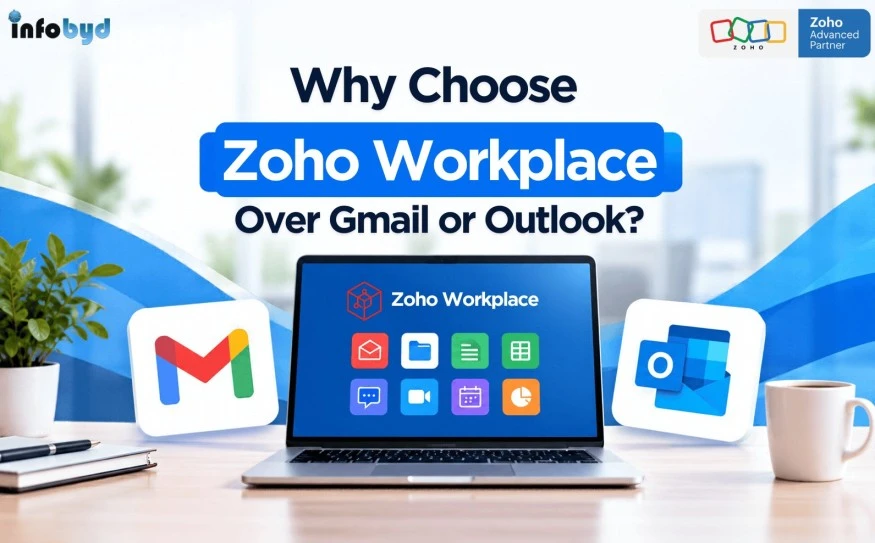
Why Choose Zoho Workplace Over Gmail or Outlook?
 Infobyd
For many businesses, email is still the starting point for almost every workday. Teams send emails, share documents, schedule meetings, exchange files, communicate with clients, and manage important business information. But as a company grows, using email alone may no longer be enough.
This is where Zoho Workplace becomes an interesting alternative to familiar platforms such as Gmail and Outlook. Instead of focusing only on email, it brings business communication, file management, document creation, collaboration, meetings, and productivity tools into one connected workspace.
So, is it really worth switching from Gmail or Outlook? Let’s look at the practical differences.
What Is Zoho Workplace?
Zoho Workplace is a cloud-based business productivity suite designed to bring communication and collaboration tools together in one environment.
It includes tools such as Zoho Mail, WorkDrive, Writer, Sheet, Show, Cliq, Meeting, and Calendar, allowing businesses to manage everyday work without depending on several unrelated applications. Zoho has also continued adding AI-powered capabilities across Workplace, including features for email, documents, file management, and collaboration.
For a growing company, the biggest advantage is not simply having more applications. It is having tools that are designed to work together.
Gmail and Outlook Are Good—But Your Business May Need More
Gmail and Outlook are both well-established email platforms, and businesses already using Google Workspace or Microsoft 365 may have little reason to change immediately.
The question is different for a company that wants to simplify its technology stack.
Think about a typical workflow:
A client sends an email → an employee downloads an attachment → another application is opened to edit the document → the file is uploaded to cloud storage → a colleague is contacted through chat → a meeting is scheduled separately.
When these activities happen across disconnected applications, employees spend time switching between tools.
Zoho Workplace is designed around a more connected workflow. For example, Zoho Mail can work with Writer, WorkDrive, and Cliq, allowing users to move between communication, documents, files, and collaboration more naturally.
That can make a noticeable difference for teams that handle a high volume of daily communication.
1. More Than Just Business Email
The first reason businesses consider Zoho Workplace is that it goes beyond email.
Zoho Mail provides professional business email, while other applications support documents, spreadsheets, presentations, file storage, messaging, meetings, and calendars.
This means businesses can create a more centralized digital workplace rather than building their workflow around an email inbox.
For example:
- Zoho Mail – Professional business email
- Zoho WorkDrive – Cloud file storage and collaboration
- Zoho Writer – Document creation and editing
- Zoho Sheet – Spreadsheets and data management
- Zoho Show – Presentations
- Zoho Cliq – Team communication
- Zoho Meeting – Online meetings
- Zoho Calendar – Scheduling and calendars
The exact applications and capabilities depend on the selected plan, but the overall idea is simple: one ecosystem for everyday business work.
2. A Connected Workflow Can Save Time
One of the biggest productivity problems in modern workplaces is not a lack of software. It is having too much software.
Employees may use one tool for email, another for files, another for documents, another for chat, and another for meetings.
The problem becomes even more noticeable when employees need to repeatedly download, upload, copy, paste, or share information between applications.
With Zoho Workplace, these workflows can be more closely connected.
For example, a document received through email can be opened and edited using Writer, stored in WorkDrive, and shared with colleagues through the connected ecosystem. Zoho's current Workplace updates also include integrations and AI-powered features designed to reduce repetitive work.
The result is less jumping between applications and more time spent actually completing the task.
3. AI Is Becoming Part of Everyday Work
AI is quickly becoming a normal part of business software, and this is another area where modern workplace platforms are evolving.
Zoho has integrated Zia, its AI assistant, into several Workplace applications.
For example, Zoho Mail can assist with writing and summarizing emails, while WorkDrive offers AI-powered capabilities for understanding and working with files. Writer also provides AI-assisted writing, summarization, translation, and document-related features.
Zoho has also introduced Zoho Mail MCP, allowing compatible AI agents to perform certain email and administrative tasks through natural-language prompts using OAuth-based authorization.
This points toward an important shift: business productivity tools are moving from simply helping employees store and communicate information toward helping them work with that information.
4. Better Collaboration for Growing Teams
Email works well for formal communication, but it is not always the best place for quick internal discussions.
Teams often need instant messaging, file sharing, document collaboration, meetings, and task discussions alongside email.
With tools such as Cliq, WorkDrive, Writer, Meeting, and Calendar available within the same ecosystem, teams can choose the right communication method for the job.
A quick question can happen in chat. A formal discussion can happen through email. A document can be collaboratively edited. A meeting can be scheduled when real-time discussion is needed.
This creates a more flexible working environment.
5. A Practical Option for Small and Growing Businesses
Large organizations are not the only businesses that need professional productivity tools.
Startups, agencies, consulting firms, service companies, educational organizations, and growing SMEs also need professional email, cloud storage, collaboration, and document tools.
For these businesses, managing several subscriptions can become unnecessarily complicated.
Zoho Workplace can be worth considering when the goal is to bring essential workplace functions under one broader ecosystem.
However, businesses should compare their actual requirements, existing software, user count, integrations, storage requirements, and migration needs before making a decision.
6. What About Security and Data Control?
Business email contains sensitive information, including customer communication, invoices, contracts, employee information, and internal documents.
Therefore, choosing a workplace platform is not only about productivity. Security and administrative control also matter.
Zoho provides administrative controls and security-related capabilities across its ecosystem. Its current AI approach also emphasizes keeping data within the Zoho environment for certain AI-powered features.
Businesses should still review the security, compliance, authentication, backup, retention, and administrative requirements relevant to their industry before selecting any platform.
7. Should You Switch from Gmail or Outlook?
The answer depends on your business.
You may want to consider Zoho Workplace if:
- You want professional business email plus collaboration tools.
- Your team uses too many separate productivity applications.
- You want integrated file storage and document collaboration.
- You are looking for AI-assisted workplace tools.
- You want a platform that can grow with your business.
- You are already using other Zoho business applications.
- You want to explore an alternative to Google Workspace or Microsoft 365.
On the other hand, if your company is deeply dependent on Google's or Microsoft's ecosystem, switching may require careful planning.
The right decision should be based on business requirements rather than simply choosing the most popular platform.
Final Thoughts
Choosing the right workplace platform is about more than selecting a business email service. While Gmail and Outlook are reliable options, Zoho Workplace brings email, document management, file sharing, team communication, meetings, and collaboration together in one connected ecosystem.
For businesses looking to simplify their digital workplace, reduce app switching, and improve team collaboration, Zoho Workplace can be a practical choice. However, the right platform ultimately depends on your business requirements, existing tools, budget, security needs, and future growth plans.
If you are planning to switch to Zoho Workplace, Infobyd, a Zoho Advanced Partner, can help with implementation, migration, integration, licensing, and ongoing support. Our team can help you choose and set up the right Zoho solution for your business, making the transition smoother and more effective.